Moving from Gmail to Fastmail
I got some motivation to move away from Gmail, after a lot of procrastinating.
Of course Gmail is kind of the devil's service here — from the data processing and hoarding from users, to AI training rumors and everything else. That said I've owned my email address from 2014 and have signed up for countless (throwaway sometimes) accounts, what should I do to deal with this elephant in the migration room? — This question has been keeping me from doing anything with the account for several years.
That said, I got a lot of motivation to just do things this year, after a happy vacation to Korea... So I decided, let's give it a try anyway. My Gmail inbox has always been a disaster nevertheless, with countless garbage advertising, invitation, random update emails that completely drown me from seeing actual, useful emails. If we're doing the migration, might as well do it properly.
My plan is going to be – Import all emails from Gmail, manually categorizing and cleaning up as much as I can – Nuke all my emails from the Gmail account, to make sure I have a case against Google if they keep them
Some statistics: – My first email in Gmail dates back as far as 2013 – The number of emails in archive was about 107.000(!) – I have about 30.000 unread emails (sigh)
These adds up to about 7GB of emails (yikes), and so if I wanted to move my emails elsewhere, I need a service that was capable of storing and indexing that much.
Choosing Fastmail
To be honest, not much to say about why here. I've tried a bit of Fastmail before with my now self-hosted email address, but found them a bit expensive at the time (I was a poor student — well I still am, but at least I got some salary...) The service was good, and they seem to be trusted by many people on this Lobste.rs thread. They also support fully importing emails from Gmail as well, which is something I really wanted to do.
The standard single plan gives 50GB of emails, one personal inbox with multiple aliases, alongside the usual Contacts (which I don't use) and Calendar (which I do use). Costs 60CHF / year, fine, a bit expensive but it's probably worth it for the privacy.
I pulled the plug and signed up for one year.
Importing from Gmail
The very first thing I wanted to perform was to pull in all my existing emails. It was actually very simple from Fastmail: open settings, import, from Gmail, grant Fastmail all the email/contacts/calendar access to my google account. The rest happens automatically, although at not very fast speed: it took about 3 hours to move all 107.000 emails.
Fastmail was very useful at automatically setting up forwarding future emails from Gmail, as well as letting me send emails from Fastmail as if I was sending it from the Gmail address.
Managing this mess
To be frank, I have always wanted to try Inbox Zero for a while, but it's a bit difficult to reach from 30.000 unread emails down to 0... Or at least, not without some dramatic measures.
My first thought was: okay, we cannot go through all the emails, so let's just bite the bullet and archive most of them. As we are fairly close to the beginning of 2026 still, I decided that it's a good cut-off: let's just archive all emails before 2026, and store them in case I needed access to them later on. Doing that leaves me with about 400 emails(!), which I went into one by one.
Before talking about these emails, I should mention that Fastmail has a labeling system that seems to be translated into IMAP folders: you can assign multiple labels to the same email, and they seem to be stored in the first label assigned. Furthermore, unlabeled emails (Inbox automatically gets an #inbox label) are considered “archive”. One neat feature: you can configure, per-label, how long the emails are going to be kept. They don't affect starred mails however, so that's an easy override for single emails.
Of the rest: – About 75 were GitHub notification emails. I want to have them, but I don't need to keep them. I did some light filtering (Scala and research-related emails gets a persistent Scala tag), and then set a catch-all filter that automatically archives the email (remove the #inbox label) and to a #notification label, that is cleaned up after 31 days. – About 100(!) of them are LinkedIn spam. Easy, delete all and unsubscribe. Except, the notification settings of LinkedIn looks like this:
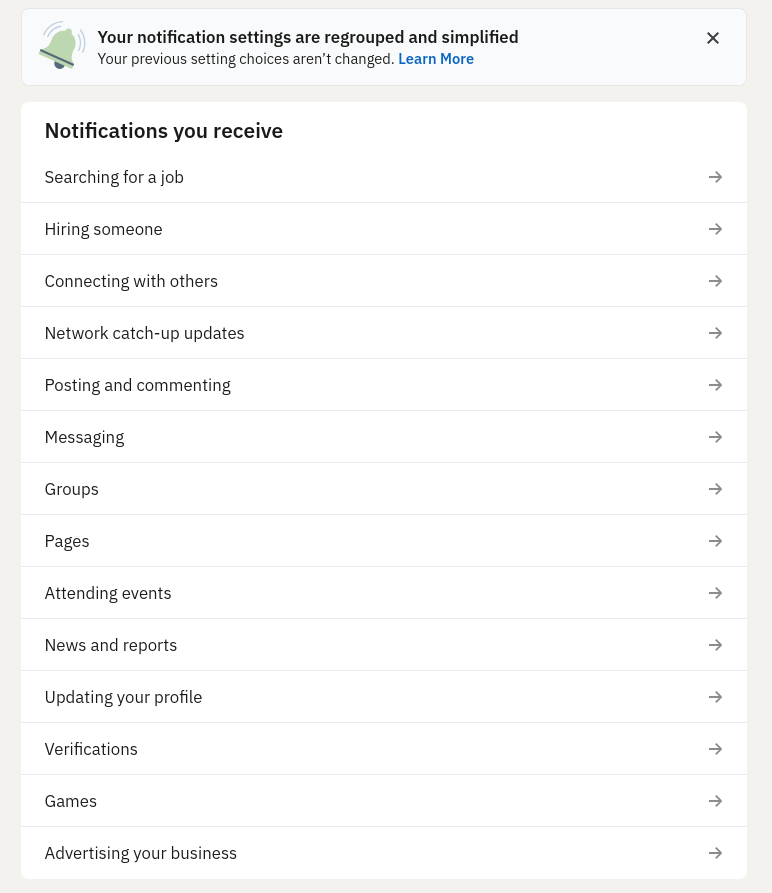
Yes, you have to go into each of them. Yes, you have to toggle each of them off. I hate LinkedIn with all my heart.
- The rest are mostly weekly advertising spam. I simply use them as the query to delete further emails, and click unsubscribe. Big shout out to Lenovo Japan, whose unsubscribe link leads to a 403. What do you mean, I am not allowed to opt-out?
- Some emails are proper notifications of real services. As I went through each of them, I also visited the website and moved by email address to the new one.
Finally, Inbox zero!
What's next?
I requested a full deletion of all my emails in Gmail. It took one evening to do so, at about 100 emails per few seconds. My Gmail is now Inbox Zero as well (and Zero in every other folder).
I will keep the Gmail account for a while, forwarding all emails to Fastmail and slowly update all the accounts' email address as needed. It's gonna take months, but I hope to fully disable Gmail some day. Looking forward to it!